


App
The Sweet Burst App: Tumble the Candy Reels Anywhere, Anytime
Getting the App: Download, Install & First Launch
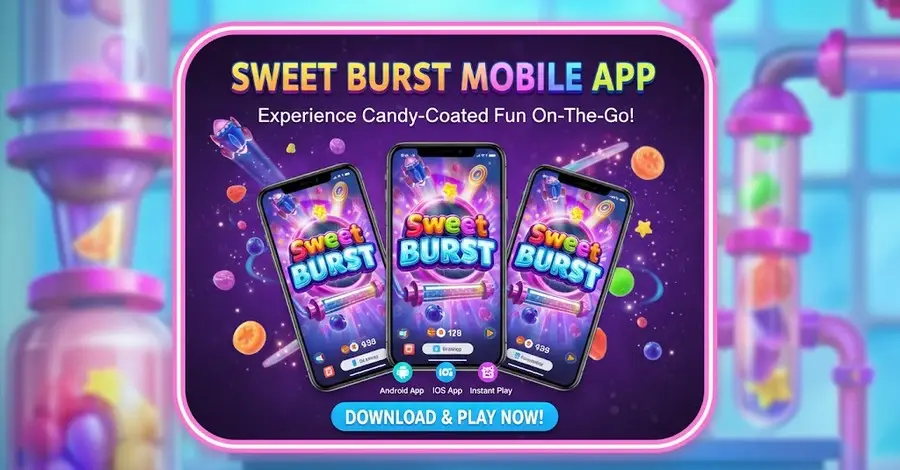
Welcome to the Sweet Burst app — the sweetest, fastest way to carry the Candy Factory in your pocket. With the app on your phone or tablet, the fun travels with you: tumbling candies, satisfying bursts, and one-tap access to your favourite reels. This first part of our guide walks you through getting the app onto your device, installing it safely, and signing in for the first time, so you can spin wherever you happen to be.
Why Play on the App
The browser experience at Sweet Burst is wonderful, but the app takes it further. Built specifically for mobile, the app delivers faster load times, a layout designed for touch, smoother cascade animations, and the convenience of one-tap access from your home screen. You also unlock mobile-only conveniences like push notifications for new free-spin drops, bonus reminders, and special candy events — so you never miss a sweet moment. For players who love to drop into a quick spin on the move, the app is simply the tastiest seat in the house.
Downloading the Android App
Getting started on Android is quick:
- Visit the official site. Open the Sweet Burst website on your Android device.
- Tap the “Get the App” button. You will find it on the homepage or app page.
- Download the APK or follow the store link. Depending on availability, you will either download the app file directly or be taken to the relevant app store.
- Allow installation if prompted. If installing directly, enable “Install from unknown sources” in your settings for this one-time install.
- Open the app. Once installed, the Sweet Burst icon appears on your home screen, ready to launch.
Downloading on iOS (iPhone & iPad)
For Apple devices, the process is just as straightforward. Visit the Sweet Burst site on your iPhone or iPad and tap the iOS download option, which directs you to the appropriate installation method for Apple devices. Alternatively, iOS users can add the site to their home screen directly from Safari — tap the share icon, choose “Add to Home Screen,” and a web-app shortcut is created that launches like a native app, full-screen and instant.
First Launch and Signing In
When you open the app for the first time, you have two simple paths:
- Existing players: tap “Log In,” enter your email and password, complete two-factor authentication if enabled, and you are instantly at the candy reels.
- New players: tap “Sign Up” to register directly within the app — enter your details, verify your email, complete identity verification, and make your first deposit, all without leaving the app.
Your account, balance, bonuses, and history are identical across the app and website, so you can switch between them seamlessly at any time.
App Download Quick Reference
The table below summarises the download journey on each platform. The nofollow links point to recognised authorities for independent guidance on safe app installation.
| Platform | How to Get It | Typical Time | Learn More |
|---|---|---|---|
| Android | Download APK or store link from the site | 2–3 minutes | NCSC — Mobile Device Guidance |
| iOS (iPhone/iPad) | Use iOS option or “Add to Home Screen” | 1–2 minutes | BeGambleAware |
| First Login | Enter email & password, complete 2FA | Under 30 seconds | UK Gambling Commission |
| New Registration | Tap “Sign Up” and register in-app | 2–3 minutes | GambleAware |
With the app installed and your account ready, Part 2 explores everything it can do — the features, the candy experience on mobile, and the system requirements that keep it running beautifully.
App Features, Performance & System Requirements
The Sweet Burst app is more than a shrunken-down website — it is a purpose-built mobile experience designed to make tumbling the candies effortless and delightful on a smaller screen. This part of our guide tours the standout features, explains the slot experience on mobile, and lists the system requirements so you know exactly what your device needs to deliver the best performance.
Key Features of the App
The app brings the full Sweet Burst experience to your fingertips, with a few mobile-first advantages layered on top:
- The full Sweet Burst game — every candy, cascade, and feature, optimised for touch.
- Smooth, colourful graphics — crisp animations and juicy visuals tuned for mobile screens.
- Push notifications — alerts for free-spin drops, bonus offers, and candy events.
- One-tap access — launch straight into the reels from your home screen.
- Full account management — deposit, withdraw, claim bonuses, and update settings without switching devices.
- Quick-deposit shortcuts — top up in seconds so you never miss a spin.
The Candy Experience on Mobile
Sweet Burst is all about satisfying cascades, and the app is engineered to do them justice. The candy grid is sized for crisp, comfortable viewing, the spin and stake controls are arranged for thumb-friendly tapping, and Autoplay lets you set a run of spins with win and loss limits. Bursting clusters, rising sugar-rush multipliers, and the free-spins round all play out with the same juicy delight as on desktop, so the full sweetness comes through whether you are on the sofa or on the move.
Optimised for Touch and Smaller Screens
Every element of the app has been rethought for mobile. Menus collapse neatly, buttons are sized for fingertips, and the most important actions — spinning, adjusting your stake, depositing — are always within easy reach. The result is an experience that never feels cramped or fiddly, no matter your screen size. Portrait and landscape orientations are both supported, so you can spin whichever way feels most natural.
Performance and Data Use
The app is built to be efficient with data and battery, so even longer candy sessions stay smooth. While Sweet Burst is lighter on bandwidth than streaming video, a stable Wi-Fi or strong 4G/5G connection still gives the best experience, especially for the lively cascade animations. If you are on a limited data plan, Wi-Fi is the ideal choice for extended spinning sessions.
System Requirements
The app is designed to run well on the vast majority of modern devices. To enjoy the best performance, your device should meet a few simple requirements, summarised in the table below. Keeping your operating system and the app itself updated ensures you always have the latest features, security patches, and performance improvements.
App Features & Requirements at a Glance
| Aspect | Recommended | Why It Matters | Trusted Resource |
|---|---|---|---|
| Android Version | Android 8.0 or newer | Ensures smooth graphics & security | NCSC — Keep Software Updated |
| iOS Version | iOS 13 or newer | Full feature compatibility | iTech Labs |
| Internet Connection | Stable Wi-Fi or 4G/5G | Keeps spins and cascades smooth | eCOGRA |
| Free Storage | At least 100 MB free | Room to install and update the app | BeGambleAware |
Now that you know what the app can do and what it needs, Part 3 covers the essentials of keeping it secure, updated, and running flawlessly — plus how to troubleshoot the rare hiccup.
App Security, Updates & Troubleshooting
A great app is a secure, reliable app. Because the Sweet Burst app handles real money and personal data, it is built with the same bank-grade protection as our website, and kept sharp through regular updates. This final part explains how the app keeps you safe, how to stay current, and how to fix the occasional snag so nothing spoils the sweetness.
How the App Keeps You Secure
Security on the app mirrors everything we do on the web. All data exchanged between the app and our servers is protected with 256-bit SSL encryption, so your login details and payment information travel as unreadable, scrambled code. The app supports two-factor authentication, which we strongly recommend enabling, and works seamlessly with your device’s own protections — fingerprint or face unlock on supported devices adds a fast, secure layer to opening the app. Your account is protected by exactly the same licensing, encryption, and responsible-gaming safeguards whether you play on the app or in a browser.
Only Download from Official Sources
The single most important security habit is to install the app only from official sources — the link on the Sweet Burst website or a legitimate app store. Never download a Sweet Burst app file from a random third-party website, a forum, or a link in an unexpected message, as these may be tampered with or fake. If you are ever unsure whether a download is genuine, stop and confirm via the official site. This one habit protects you from the overwhelming majority of mobile threats.
Keeping the App Updated
Updates do far more than add features — they deliver important security patches, performance improvements, and fresh content. We recommend enabling automatic updates where possible, or checking periodically for the latest version. Running the current version ensures you benefit from the smoothest gameplay, the newest features, and the strongest protection. An out-of-date app can cause avoidable glitches, so staying current is the easiest way to keep everything sweet.
Common Issues and Quick Fixes
Most app problems have simple solutions:
- App won’t open or crashes. Close it fully and reopen, restart your device, or reinstall the latest version.
- Game loads slowly. Switch to a stronger Wi-Fi or mobile signal, and close other apps running in the background.
- Login fails. Check your email and password for typos, and ensure your 2FA code is current.
- Won’t install. Confirm you have enough free storage and that your OS meets the minimum version.
- Notifications not arriving. Check that notifications are enabled for the app in your device settings.
Responsible Gaming on the App
Convenience should never come at the cost of control. Because the app is always in your pocket, we have made all responsible-gaming tools available directly within it — deposit limits, loss limits, session reminders, time-outs, and self-exclusion are just a few taps away in your account settings. Push notifications can even include reality-check reminders of how long you have been playing. Mobile candy spins are wonderfully convenient, and using these tools keeps the fun firmly in the realm of affordable entertainment.
Getting Help
If a problem persists after the quick fixes above, our support team is available around the clock through live chat and email, right inside the app. Have your registered email and a brief description of the issue ready, and never share your password — our agents will never ask for it. They can help with installation, performance, account, and verification questions, always confirming your identity first to keep your account safe.
App Security & Troubleshooting Summary
| Area | What to Know | Your Action | Helpful Resource |
|---|---|---|---|
| Secure Downloads | Install only from official sources | Use the link on the Sweet Burst site | NCSC — Managing Apps |
| Account Protection | 256-bit SSL + 2FA + biometric unlock | Enable 2FA and device lock | CISA — Turn On MFA |
| Updates | Patches improve security & performance | Enable automatic updates | CISA — Secure Our World |
| Responsible Gaming | All control tools built into the app | Set limits in account settings | Gambling Therapy |
That is the complete guide to the Sweet Burst app — how to download and install it, what it can do, and how to keep it secure and running flawlessly. The app puts the full Candy Factory in your pocket, ready whenever a sweet craving strikes, with the same safety and fairness as every other way to play. Download it, sign in, and carry the candy with you — responsibly, wherever you go. Welcome to Sweet Burst, mobile edition.
Frequently Asked Questions
| # | Question | Answer |
|---|---|---|
| 1 | Is the Sweet Burst app free to download? | Yes. The app is completely free to download and install on both Android and iOS devices from the official Sweet Burst site. |
| 2 | How do I download the app on Android? | Visit the Sweet Burst site on your device, tap “Get the App,” download the file or follow the store link, allow installation if prompted, and open the app. |
| 3 | Is there an app for iPhone and iPad? | Yes. iOS users can install via the iOS download option or add the site to their home screen from Safari for a full-screen, app-like experience. |
| 4 | Do I need a separate account for the app? | No. Your account, balance, bonuses, and history are shared across the app and website, so you can switch between them seamlessly with one login. |
| 5 | Is the app safe to use? | Yes. The app uses 256-bit SSL encryption, supports two-factor authentication and biometric unlock, and carries the same licensing and safeguards as the website. |
| 6 | What are the system requirements? | We recommend Android 8.0 or newer, or iOS 13 or newer, a stable Wi-Fi or 4G/5G connection, and at least 100 MB of free storage for the best experience. |
| 7 | Can I play the full game on the app? | Absolutely. The complete Sweet Burst game, with all its candies, cascades, multipliers, and free spins, is available with smooth, touch-friendly controls. |
| 8 | Why is the game loading slowly? | Slow loading usually means a weak connection or limited memory. Switch to stronger Wi-Fi or signal and close other apps running in the background. |
| 9 | How do I update the app? | Enable automatic updates where possible, or check periodically for the latest version. Updates deliver security patches, performance gains, and fresh content. |
| 10 | Are responsible gaming tools available on the app? | Yes. Deposit limits, loss limits, session reminders, time-outs, and self-exclusion are all built into the app’s account settings, just a few taps away. |